
What is Noir?
OWASP Noir is a SAST tool that extracts endpoints from source code to feed human reviewers, AI auditors, and DAST scanners.

Hi! I'm Hak, the Noir mascot. Let me show you what Noir can do for you.
Noir is an open-source SAST tool. It reads source code and extracts the endpoints an application exposes: paths, methods, parameters, headers, cookies, and the source files behind them. Shadow APIs and undocumented routes come out as part of the same inventory; they aren't a separate mode.
That inventory feeds three audiences:
- Human reviewers. Security engineers and code auditors get a focused list of attacker-reachable entrypoints and the files, parameters, and tags around them, instead of having to skim the whole repository.
- AI auditors. LLM-based SAST agents get the same focused list, plus per-endpoint review context (
--include calleefor 1-hop callees in plain output;--ai-contextfor guards, callees, sources, sinks, validators, and signals). - DAST tools. ZAP, Burp Suite, and Caido get a real route list to scan, including paths they would never have reached by crawling.
What Noir does
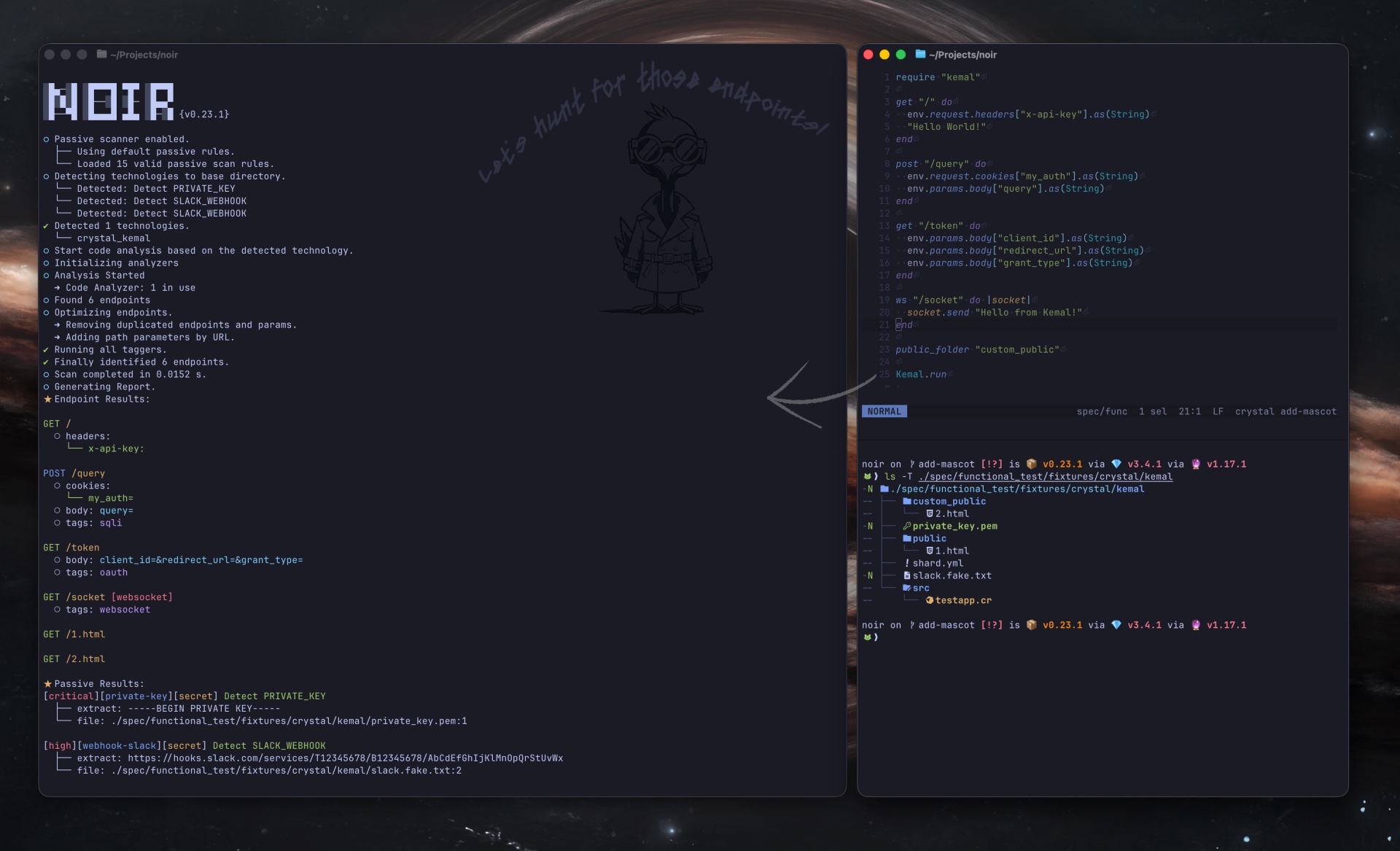
Extract endpoints. Static analysis pulls endpoints, parameters, headers, and cookies out of source, including the ones nobody documented.
Cover the stack. A single binary supports 261 frameworks across 32 languages, including Crystal, Go, Java, JavaScript, Kotlin, PHP, Python, Ruby, Rust, and Swift. No plugins or per-language setup.
Fall back to an LLM. When a framework isn't natively supported (or when routing is custom enough that static rules don't apply), point Noir at an LLM (OpenAI, Ollama, and so on) and let it fill the gap.
Feed DAST scanners. Pipe endpoints straight into ZAP, Burp Suite, or Caido as a proxy target, or export OpenAPI for them to import. The scanner stops missing routes that were never linked from a page.
Give AI SAST useful context. The inventory of entrypoints, source files, parameters, and tags (plus, with --include callee, the 1-hop functions each handler invokes) is the focused context an LLM-based SAST tool, code auditor, or security agent needs to find attacker-reachable bugs. --ai-context goes further and attaches review context per endpoint (guards, callees, sources, sinks, validators, and signals) so the model doesn't have to rediscover them. Hand it the surface Noir mapped instead of asking the model to scan the whole repository.
Export to whatever reads next. JSON, YAML, OpenAPI specs, SARIF for CI/CD, cURL, HTTPie, HTML reports, Postman collections, and similar formats that the next tool in the pipeline expects.
How it works
Point Noir at your source code and it automatically:
- Detects which languages and frameworks your project uses
- Analyzes the code to extract endpoints, parameters, and headers
- Reports results in your preferred format
flowchart LR
    SourceCode:::highlight --> Detectors

    subgraph Detectors
        direction LR
        Detector1 & Detector2 & Detector3 --> |Condition| PassiveScan
    end

    PassiveScan --> |Results| BaseOptimizer

    Detectors --> |Techs| Analyzers

    subgraph Analyzers
        direction LR
        CodeAnalyzers & FileAnalyzer & LLMAnalyzer
        CodeAnalyzers --> |Condition| Minilexer
        CodeAnalyzers --> |Condition| Miniparser
    end
   subgraph Optimizer
       direction LR
       BaseOptimizer[Optimizer] --> LLMOptimizer[LLM Optimizer]
       LLMOptimizer[LLM Optimizer] --> OptimizedResult
       OptimizedResult[Result]
   end

    Analyzers --> |Condition| Deliver
    Analyzers --> |Condition| Tagger
    Deliver --> 3rdParty
    BaseOptimizer --> OptimizedResult
    OptimizedResult --> OutputBuilder
    Tagger --> |Tags| BaseOptimizer
    Analyzers --> |Endpoints| BaseOptimizer
    OutputBuilder --> Report:::highlight

    classDef highlight fill:#ee2a22,stroke:#ee2a22,stroke-width:2px,color:#0b0b0c;
    %% The entry and exit nodes carry the site accent. fill:#000 was safe
    %% while the docs were dark-only; under light mode the node label is
    %% near-black and vanished into the fill. Near-black on this red is
    %% 4.67:1, the same pairing the primary CTA uses.
Contributing
Noir is open-source and welcomes contributions. See the Contributing Guide for details.
Core team
Contributors
Next: Install Noir