
Debug with hidden flags
Developer-only flags not shown in --help for debugging and experimentation
Developer-only flags that do not appear in --help output. Names, behavior, and availability may change without notice.
They replace the prompts Noir sends to an LLM, so they only do something when AI analysis is on (--ai-provider, plus --ai-model for most providers).
Available flags
--override-analyze-prompt: Overrides the internal ANALYZE_PROMPT for individual file analysis.--override-llm-optimize-prompt: Overrides the internal LLM_OPTIMIZE_PROMPT for endpoint optimization.--override-bundle-analyze-prompt: Overrides the internal BUNDLE_ANALYZE_PROMPT for bundled (multi-file) analysis.--override-filter-prompt: Overrides the internal FILTER_PROMPT for file filtering.
When to use them
- Testing new prompt strategies for analysis, filtering, or optimization
- Iterating on a prompt without rebuilding
- Comparing how prompt changes affect the output
Usage tips
- Pass the prompt as a separate argument. The
--flag=valueform is rejected, and so is a value that starts with-. - Quote prompt strings to preserve spaces and special characters.
- For multi-line prompts, read from a file with command substitution.
- Validate with a small fixture directory before scaling up.
- Add
-d/--debugto see the AI analyzer's intermediate steps (file filtering, bundles, errors).
Examples
Short literal prompt (single file analysis override)
./bin/noir scan spec/functional_test/fixtures/crystal \
  --override-analyze-prompt 'Identify HTTP endpoints and parameters. Return concise structured results.'
Read a multi-line prompt from a file (analyze override)
./bin/noir scan spec/functional_test/fixtures/crystal \
  --override-analyze-prompt "$(cat prompts/analyze_prompt.txt)"
Override the LLM optimizer prompt
./bin/noir scan spec/functional_test/fixtures/crystal \
  --override-llm-optimize-prompt "$(cat prompts/llm_optimize_prompt.txt)"
Override the bundled analysis prompt (multi-file reasoning)
./bin/noir scan spec/functional_test/fixtures/crystal \
  --override-bundle-analyze-prompt "$(cat prompts/bundle_analyze_prompt.txt)"
Override the file filtering prompt
./bin/noir scan spec/functional_test/fixtures/crystal \
  --override-filter-prompt 'Select only application source files that may declare HTTP routes or middleware.'
Notes and caveats
- Output may vary across runs depending on prompt content and LLM behavior.
- Use single quotes for literal strings if your shell expands characters unexpectedly, or read prompts from files.
- Set up the AI provider first (API key, model).
--override-llm-optimize-prompthas no effect with--ai-no-optimize.
Screenshot examples
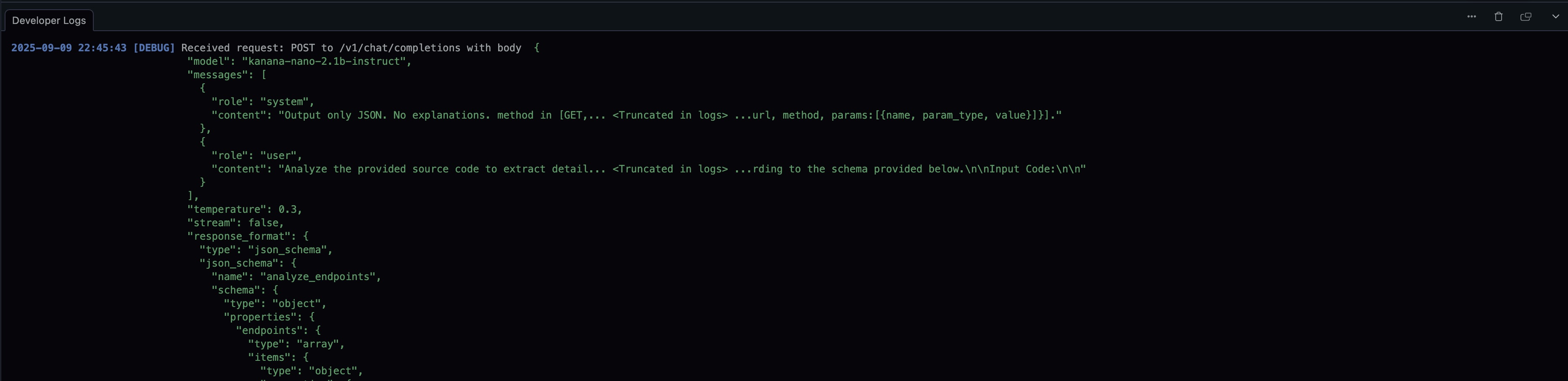
Without override flag
./bin/noir scan ./spec/functional_test/fixtures/crystal/kemal --ai-provider=lmstudio --ai-model=kanana-nano-2.1b-instruct --exclude-techs kemal --cache-disable
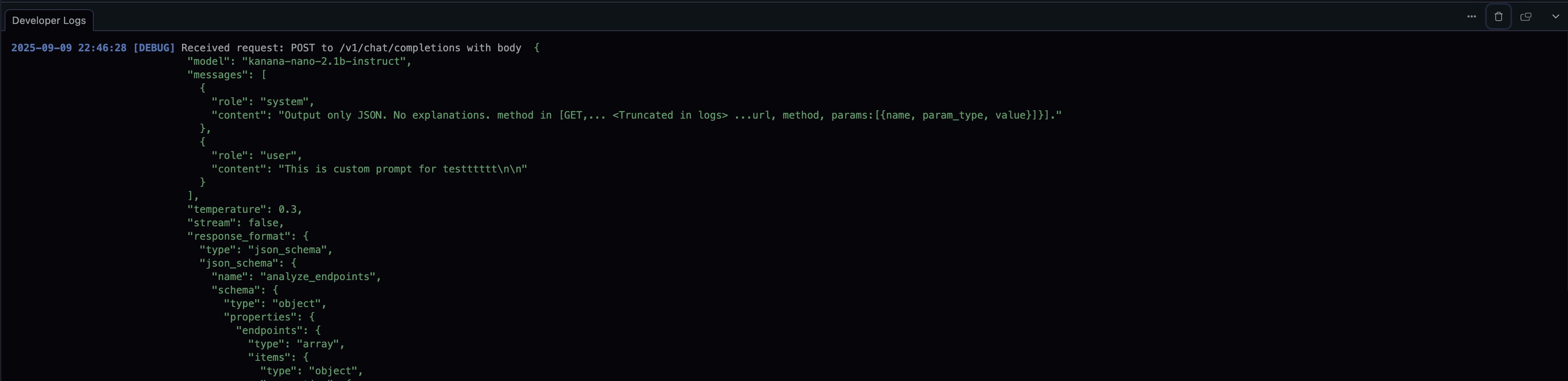
With --override-analyze-prompt
./bin/noir scan ./spec/functional_test/fixtures/crystal/kemal --ai-provider=lmstudio --ai-model=kanana-nano-2.1b-instruct --exclude-techs kemal --cache-disable --override-analyze-prompt "This is custom prompt for testttttt"